As a border-line millennial, I have come accustomed to being able to do most transactional interactions on an app. When quick payments were introduced, it was the greatest thing that ever was – no more figuring out how we were going to split a dinner bill with cash, alternating ice cream trips, and IOU’s. I did not download PayPal app until one of my friends said they didn’t have CashApp or Venmo – I didn’t realize they had one or if it would be simple since I had only ever used PayPal on eBay and sketchy sites. Turns out it works just as well!

Here is my quick app design critique/observations. I will be mainly focusing on the on-boarding, homepage and basic features. (This is the newest updated version)
Assumption:
+ Just downloaded app for first time
+ Users: Everyone that has a bank account/credit card and a smartphone
+ Mobile app view
TL;DR
On-boarding:
+ Great use of simple and informative sentences to give users a snapshot view of what to expect
+ Fun interactions for swipe feature
+ Nice geo location feature to find what country when selecting to sign up
+ Nice toggle switch between “mobile number” and “email” log in fields
+ Excellent use of space when keyboard is activated
Home Landing Page:
+ Informative Icons
– Lacks separation of features (high utilization vs. low utilization)
– Not the best color palette
Basic Features:
Send Money
+ Keeps one solid dark teal color for consistency throughout process
On-boarding:
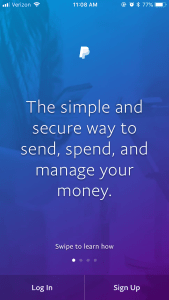
+ When you open up the app a nice overarching statement of what the app is pops up
The simple and secure way to send, spend, and manage your money.
This is a clear note as to what every user should be expecting and what they will be experiencing. It goes further to add “swipe to learn how” which is a great feature since the following statements give a quick intro to how it works. The interim to swipe, there is a nice change in background, the first background seems to expand closer while switching color palettes and photos.
Send money fast to anyone in 100+ countries. All you need is their email address or mobile number to send or request money.
 When selecting “Sign Up” a form is brought up with the words Let’s get started on a static white banner. At the top of the page it has a small circle with an American flag to indicate the country, it also has a small arrow which when clicked brings up the country or region that you would like to select instead. I think that this is a great feature to already fill in the country (assuming it was done by PayPal pulling the information that your location was there – however, I have no way to test that if I were to be signing up in China to see if the Chinese flag comes up).
When I tried to go back to that first swipable screen, to test what happens when I select Log In, it no longer brings me back to those fun colorful screens. Instead it brings me to a Log In landing page (assuming that if I had selected the “Log In” at first it would be the same page).
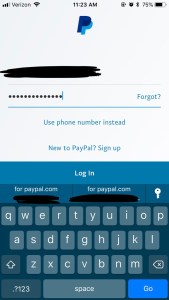
As someone who has multiple emails (some of them being quite long) it is always really nice when a site allows me to sign in with my phone number instead – since I only have one of those. On this log in page, it is an easy to find toggle to switch from an email log in to a mobile phone log in. When I select the user input lines, the keyboard shoots up, but a great design is that PayPal decided to bring up the whole screen instead of overlaying the keyboard
.
Once I select Log In I am brought to a security check via CAPACHA (with the words A quick security check on a static grey banner – different than that of the Sign Up page). After I fill that out, as my iPhone 7 has a Touch ID feature, it prompts me to set up for quicker log in. The bottom buttons stay consistent with two options Not Now and Use Touch ID I opted to use it and gave me a nice plain screen that showed me I was ready. I’m really glad that PayPal integrated that feature (like most apps now) because I am a big fan of Touch ID!
Home Landing Page:
Once I am dropped into my personal landing page, immediately I see a lot of information going on – separated by some weird choices of color bars. The top which has an alert icon, profile pic, setting icon, manage balance and see activity is a solid blue color (matching PayPal color). The mid section has Send and Receive money and is denoted with a teal ombre effect. The bottom section has 5 icons in a grey tone. As a user that is probably using this for the high utilization feature of Sending and/or Receiving Money I would find all of the “extra” information too busy and not very helpful.
.
The personal landing page could perhaps use the same layout as the on-boarding sequence where it is swipable to get to these different sections. The most important main landing page being the mid section, Send and Request. Perhaps if I am a user trying to send money, I would want to see what my PayPal balance is, so another option is to have the Send and Request as well as the Manage Balance on the same screen.
Basic Features:
Send Money
Once the Send Money icon is selected, I can select to search for an email or phone number. It also has recent contacts that have been interacted with in PayPal. If
Request Money

 Dawn Jade Binder Blog